


Set Up Your Brand in Canva
A simple, step-by-step way to set up a clean brand kit in Canva, so your colours, fonts, and visuals stay consistent every time you create anything for your business.
If your content looks different every time you post, it's not a brand, it's noise. Set Up Your Brand in Canva gives women, clean way to lock in their colours, fonts, and visual style so everything they create looks consistent, professional, and recognisable.
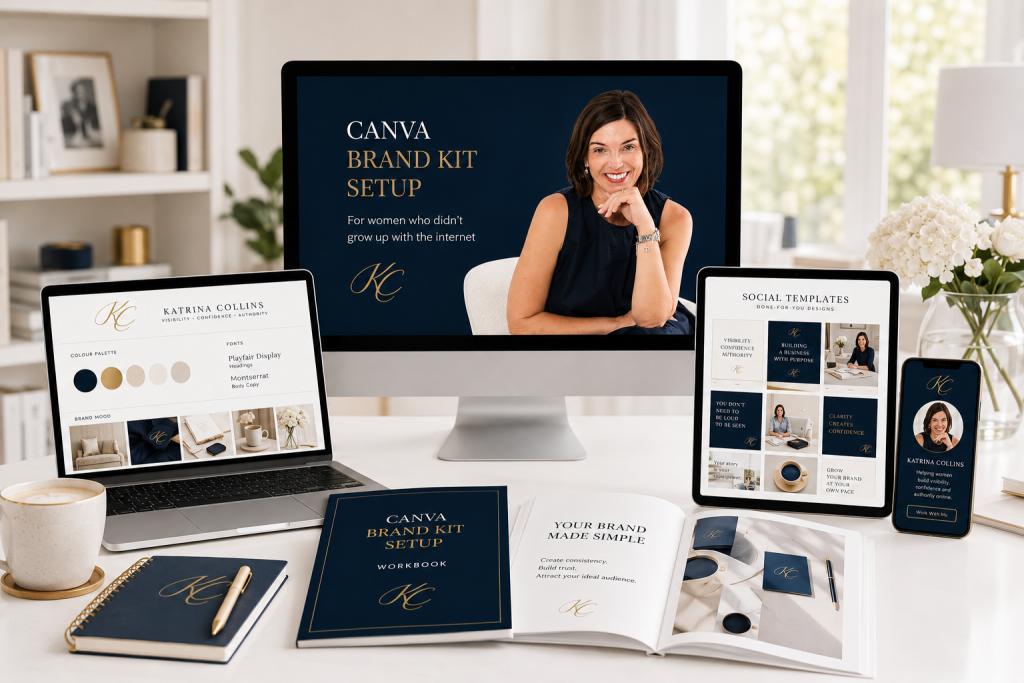
Designed for those who feel their content looks messy or "not quite right," this short training walks you through building a proper brand kit in Canva using a ready-to-copy template, so every post, every graphic, every PDF you make from now on actually looks like it belongs to the same business.
$37.00 inc. GST
Self-paced
Learn on your schedule
Online access
Learn anywhere, anytime
Lifetime access
Revisit lessons anytime
Overview
Make your business look like a real business
Set Up Your Brand in Canva is a focused, beginner-friendly training designed for women in business who feel their content looks messy, inconsistent, or "not quite right." Maybe you change colours every time you post. Maybe your fonts shift from graphic to graphic. Maybe you've never actually decided what your brand should look like, and it shows..
This product fixes that. Using a ready-to-copy Canva template, simple font pairing guidance, and a clear three-colour selection process, you'll set up a complete brand kit you can use every time you create anything for your business. No design background needed. No graphic design overwhelm. Just a calm, sensible process for locking in your visual identity once, so it works for you forever.
By the end, you'll have a clean, recognisable brand kit saved in Canva, ready to use across every post, banner, PDF, and graphic you create from now on, and content that finally looks like it belongs to a real, professional business.
This product fixes that. Using a ready-to-copy Canva template, simple font pairing guidance, and a clear three-colour selection process, you'll set up a complete brand kit you can use every time you create anything for your business. No design background needed. No graphic design overwhelm. Just a calm, sensible process for locking in your visual identity once, so it works for you forever.
By the end, you'll have a clean, recognisable brand kit saved in Canva, ready to use across every post, banner, PDF, and graphic you create from now on, and content that finally looks like it belongs to a real, professional business.

See Set Up Your Brand in Canva in action
Watch this short preview to see how the training walks you through building a clean, simple brand kit in Canva, calmly, step by step, in one sitting.
What You'll Get
Step-by-step Canva walkthrough
A short, focused training that walks you through building your complete brand kit in Canva from start to finish, using free or Pro versions.

Ready-to-copy brand kit template
A Canva template you can copy into your own account and customise, saving you hours of building structure from scratch.

Colour selection process
Use a simple three-colour structure (with hex codes) to choose brand colours that work together, without second-guessing every decision.

Font pairing guidance
Pick a header and body font combination that looks professional and reads beautifully, using easy guidance designed for non-designers.

Logo placement and structure
Learn where and how to use your logo across your content so it strengthens your brand without overpowering your message.
Brand reference tiles
Set up a clean reference page inside Canva with your logos, fonts, and colours all in one place, so you never have to hunt for them again.
Save and reuse system
Learn how to save your brand kit properly in Canva so it's instantly accessible every time you create anything, for years to come.
Works with free or Pro Canva
Step-by-step instructions for both the free and paid versions of Canva, so you can set up a proper brand kit regardless of which plan you use.

This training is for you if...
What you'll work through
01
Get clear on your three core colours
Use the colour selection process to choose three core brand colours (with hex codes) that work together and represent your business, without overthinking it or trying to match trends.
02
Pick your fonts
Use the font pairing guidance to choose a header and body font combination that's professional, readable, and timeless, so you stop changing your mind every few weeks.
03
Set up your logo and visual marks
Decide how your logo will be used across your content, and set up logo variations (full, simplified, icon) so you always have the right version ready when you need it.
04
Build your brand kit in Canva
Follow the step-by-step walkthrough to copy the brand kit template, customise it with your decisions, and save it properly in Canva, using free or Pro versions.
05
Use it every time you create
Learn how to call up your brand kit instantly every time you create a post, graphic, or PDF, so your business looks consistent, every single time.

Bonus Resource
Brand Reference Tiles Template
You'll also receive a set of Brand Reference Tiles you can save in Canva, a clean visual reference of your fonts, colours, and logo variations all in one place. Perfect for grabbing your brand details at a glance, sharing with anyone helping create your content, or keeping handy whenever you start a new design project.
Lock in your brand once. Use it everywhere.
|
Stop second-guessing your colours, fonts, and visual decisions. Set up a clean, simple brand kit in Canva and use it every time you create, so your business finally looks like a real business, post after post.